Preloading resource dictionaries
In Kanzi you can load resource dictionaries of prefabs you use in your project before your Kanzi application shows them to users. For example, you can create a loading screen that your users see while Kanzi is loading the resource dictionaries of the rest of your application in the background. Once your application loads all the resources you select, it switches from the loading screen to the part of the application you select.
To preload resource dictionaries:
-
Create a loading screen and place it under Screen > Root Layer. Your users see the content of your loading screen while Kanzi loads the resource dictionaries of your application.
For example, create and image and show it in an Image Layer, or create a Scene which contains an animation that is shown while Kanzi is loading the resources.
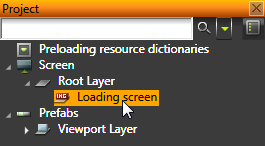
- Create your Kanzi application in Prefabs and add to the scope of each prefab all the resources used by that prefab. See Prefabs and Using local and global resources.
- In the Project select the Root Layer, in the Properties click Add Triggers, and add the Node Attached to Graph trigger.
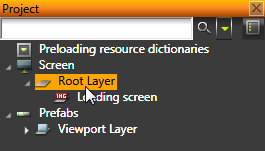
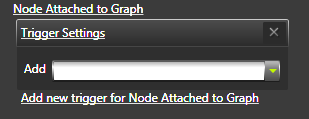
- In the Properties > Node Attached to Graph trigger click the drop-down menu, and select Preload Resources action.
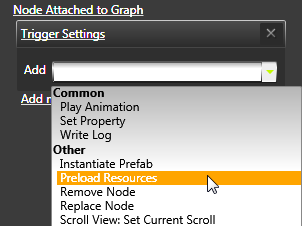
- In the Argument Editor:
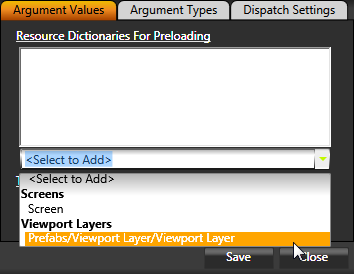
- Add to the Resource Dictionaries For Preloading property object the resource dictionaries of which you want to preload.
- If you localized your Kanzi application, set the Locale property to the locale the resources of which you want to load.
For example, if you divided your application into several parts, you can load only the resource dictionary of the part users see first, and when that loads you can start loading the rest of the application. To load the resources of your entire Kanzi application at once, including all localized resources, select Screen.
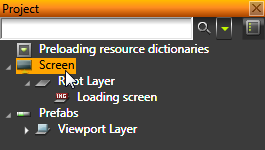
- In the Project select the Screen, in the Properties click Add Triggers, and add Preloading of Resources Completed trigger.
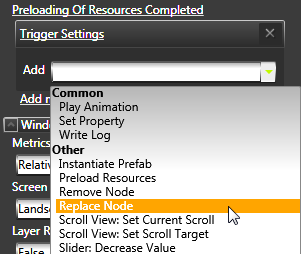
- In the Properties click the drop-down menu for the Preloading of Resources Completed trigger, and select Replace Node action.
- In the Argument Editor set:
- Node To Be Replaced to the object in your project you use as the loading screen.
- Replacing Prefab to the prefab the resources of which you preloaded using the Preload Resources action in the Node Attached to Graph trigger.
- (Optional) If you are using a transition from the loading screen to your Kanzi application, to make the transition smoother add a 1 ms delay to the action you use to start the transition from the loading screen to the application. Because the instantiation of the application takes some time, by adding a delay to the start of the transition, you tell Kanzi to hold the transition until it completes the instantiation.
For example, if you are using a transition layer, add the 1 ms delay to the Transition Layer: Start Transition action.
See also
Using local and global resources
Using external resource dictionaries
Loading resources in parallel
Resource management
Triggers
Prefabs
Open topic with navigation